
12 credits per AI Christmas photo
AI Christmas Photo Generator
Upload a selfie, a family snapshot or a picture of your pet, pick a style, and get an AI Christmas photo that still looks like you: the same faces, a brand-new festive scene.
Pick a Christmas photo style
Each AI Christmas photo below is a real result of the style’s description, made from an ordinary photo. Tap a style to load it into the generator, then add your own photo.
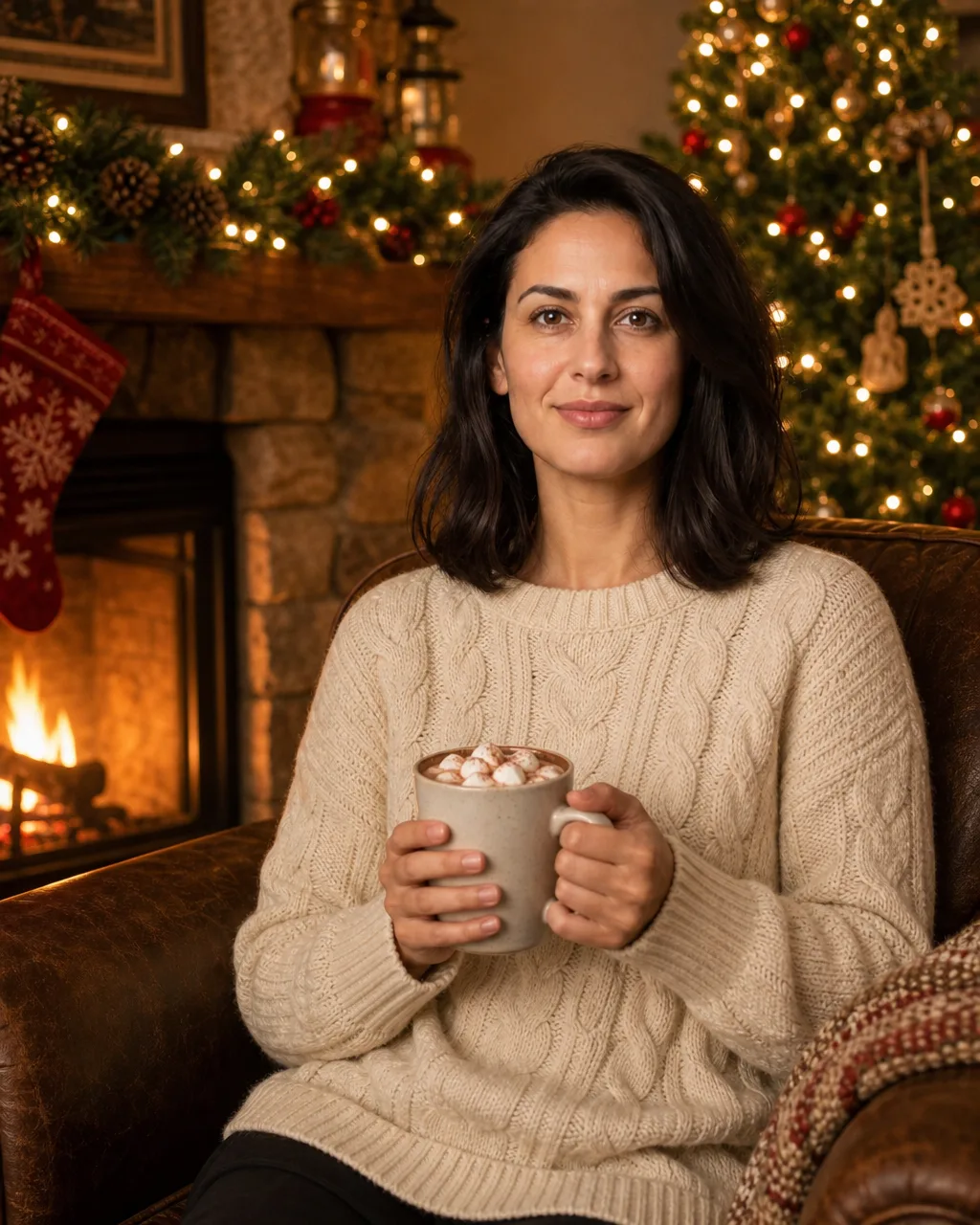
Cozy fireplace
Cocoa, a cable-knit sweater and firelight: the classic Christmas photo for one.
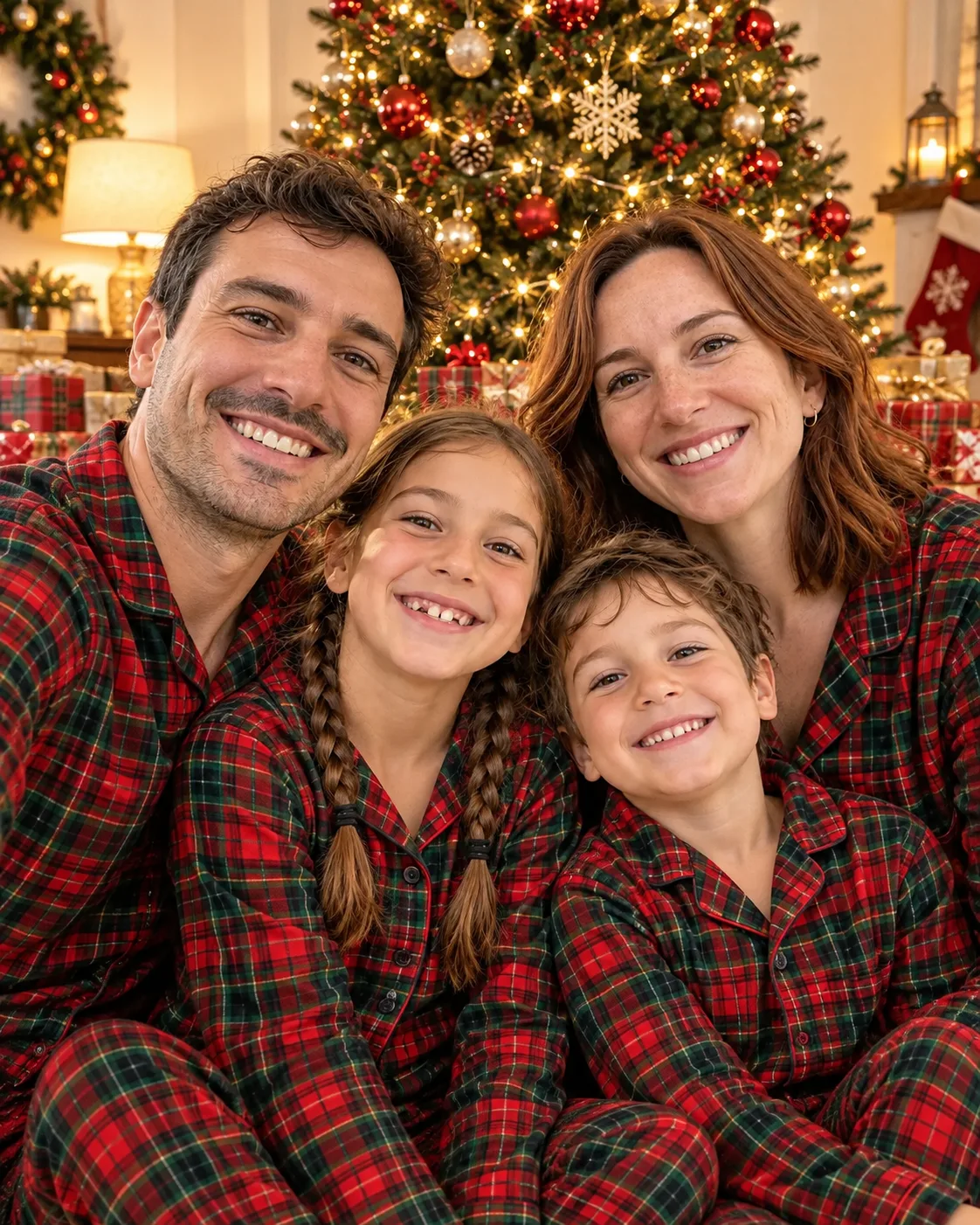
Matching pajamas
The whole family in plaid pajamas by the tree, no matching shopping trip needed.
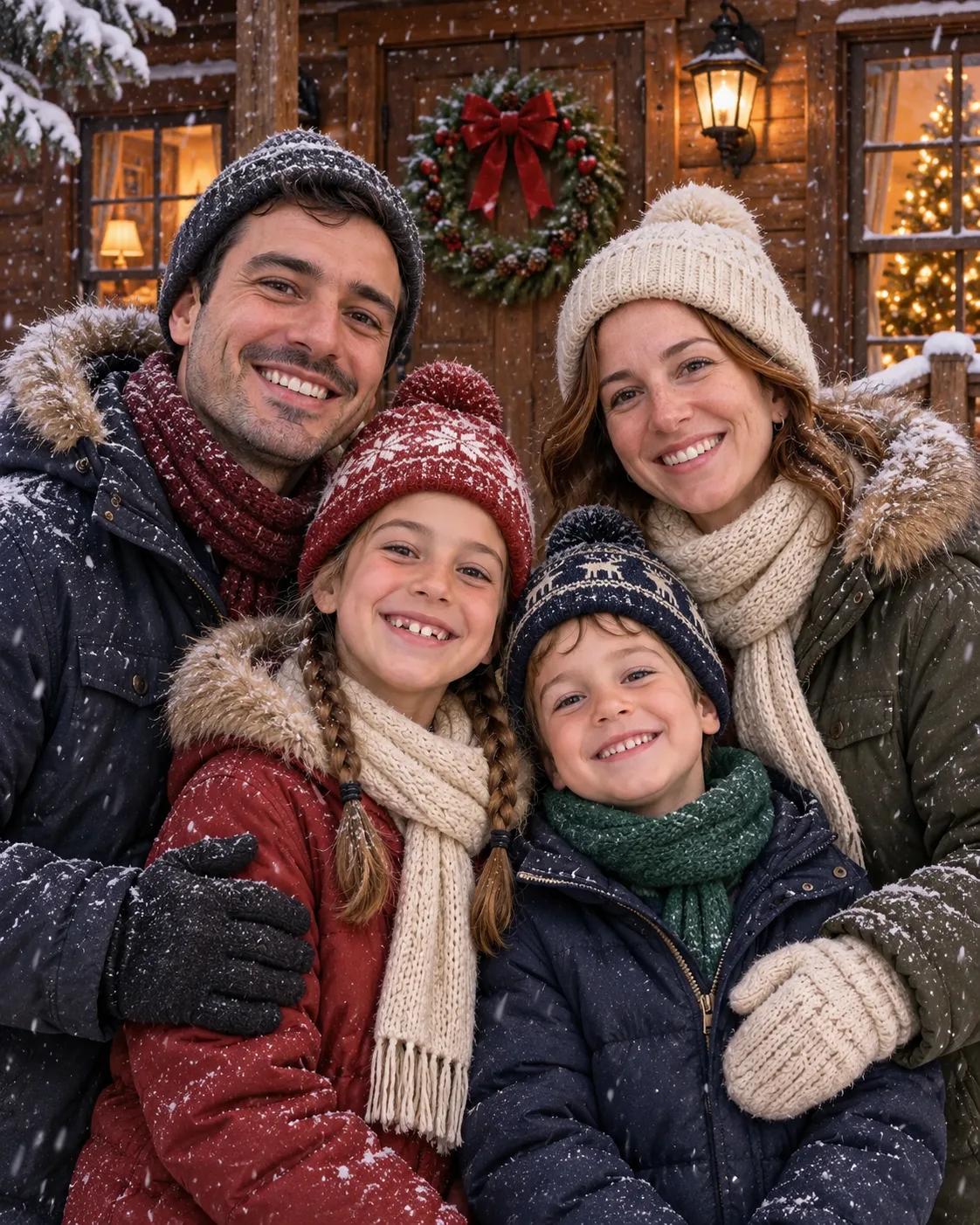
Snowy cabin
A family Christmas photo on a snowy porch, wreath on the door, warm windows behind.
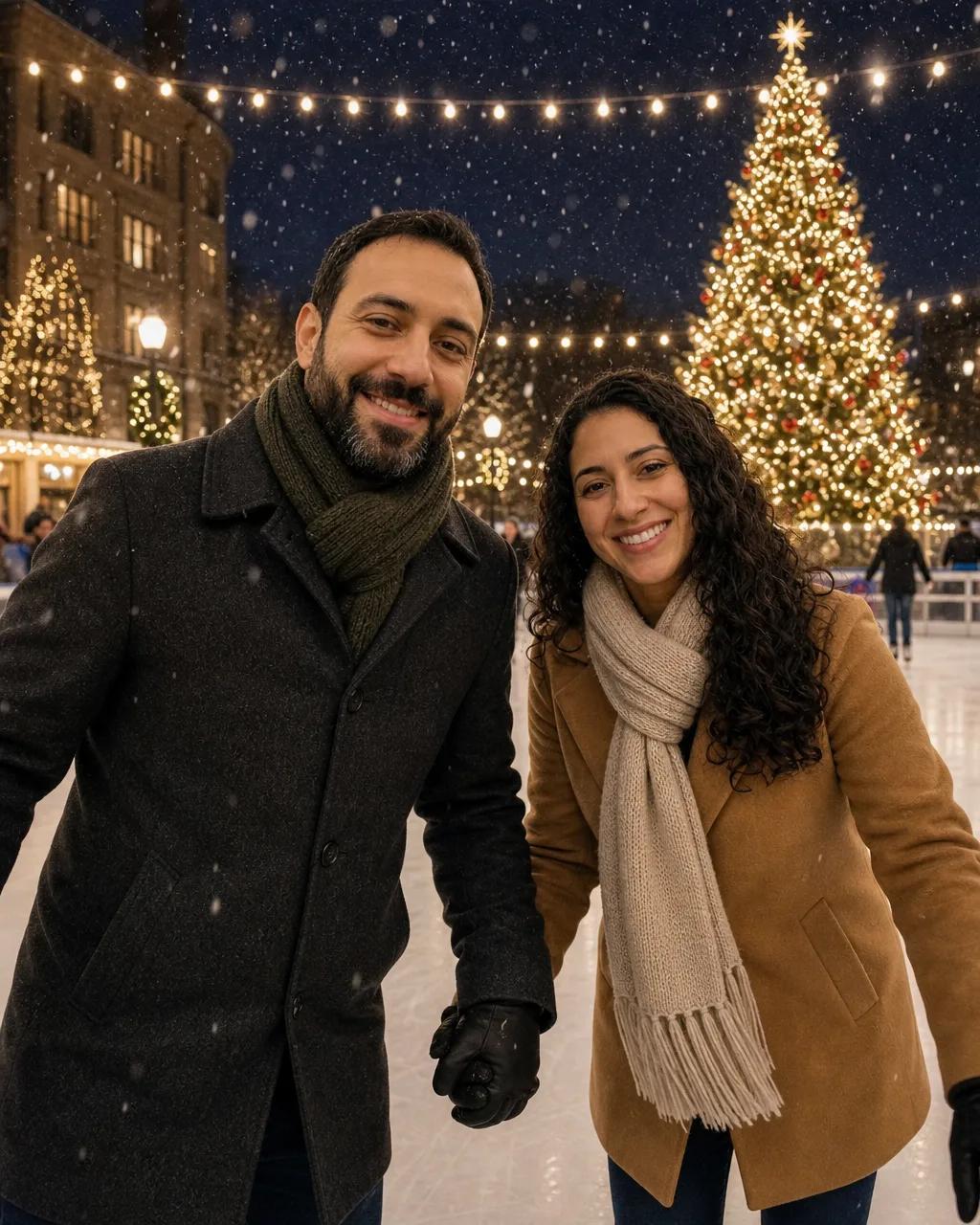
Ice rink
A couple’s Christmas photo on the ice under a giant lit tree.
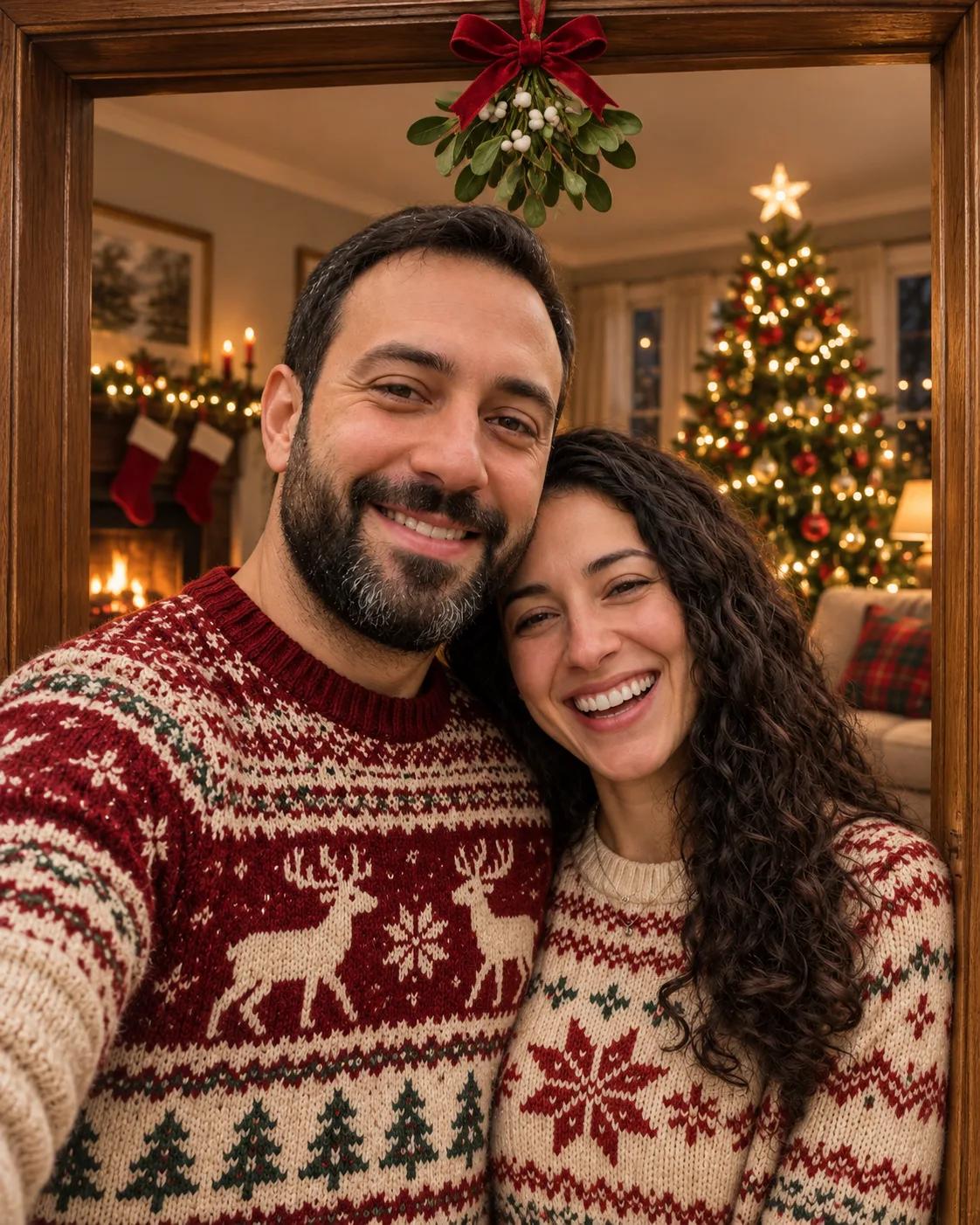
Under the mistletoe
Laughing together in a doorway, tree lights glowing behind you.
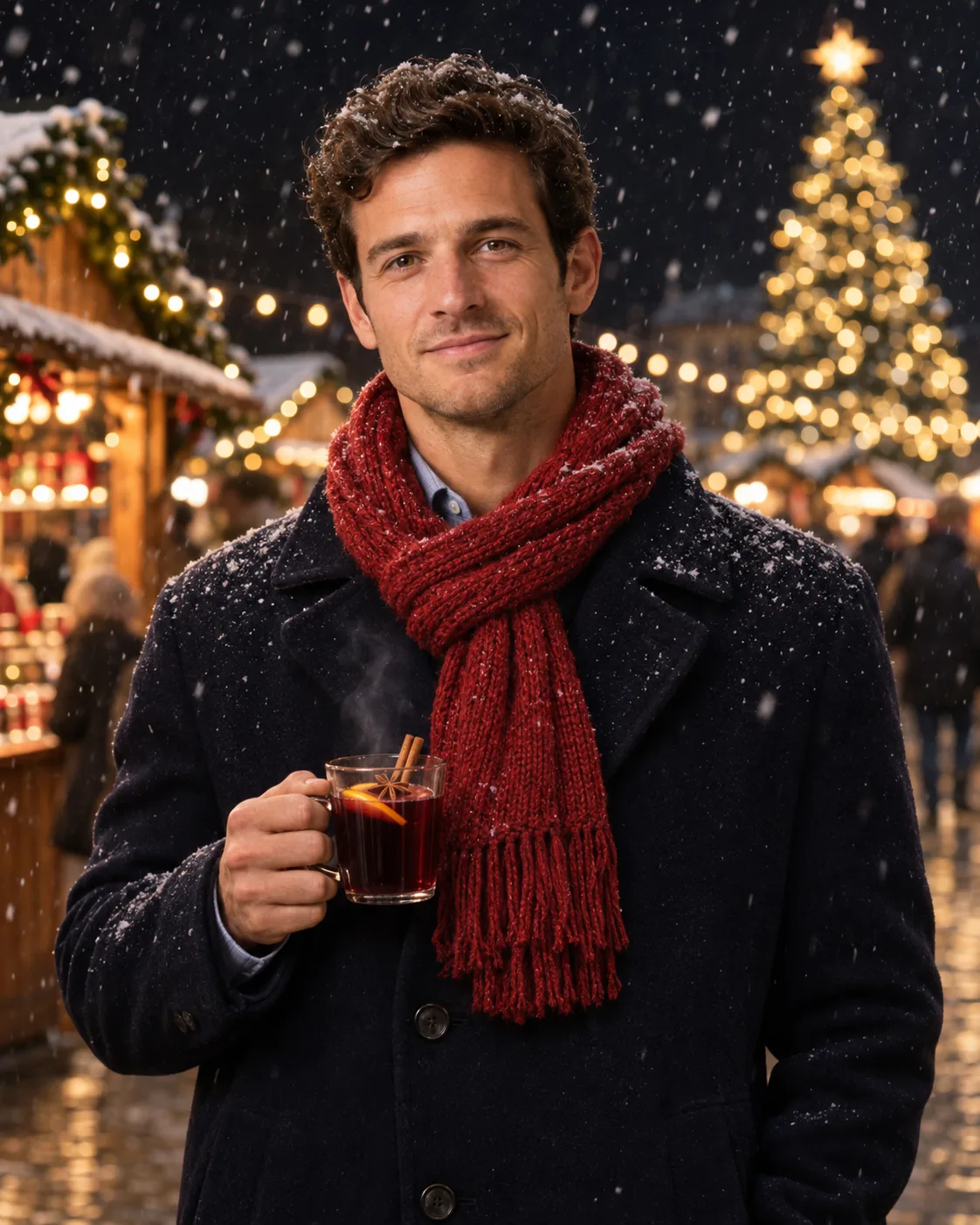
Christmas market
Mulled wine, wooden stalls and falling snow for an evening Christmas photo.
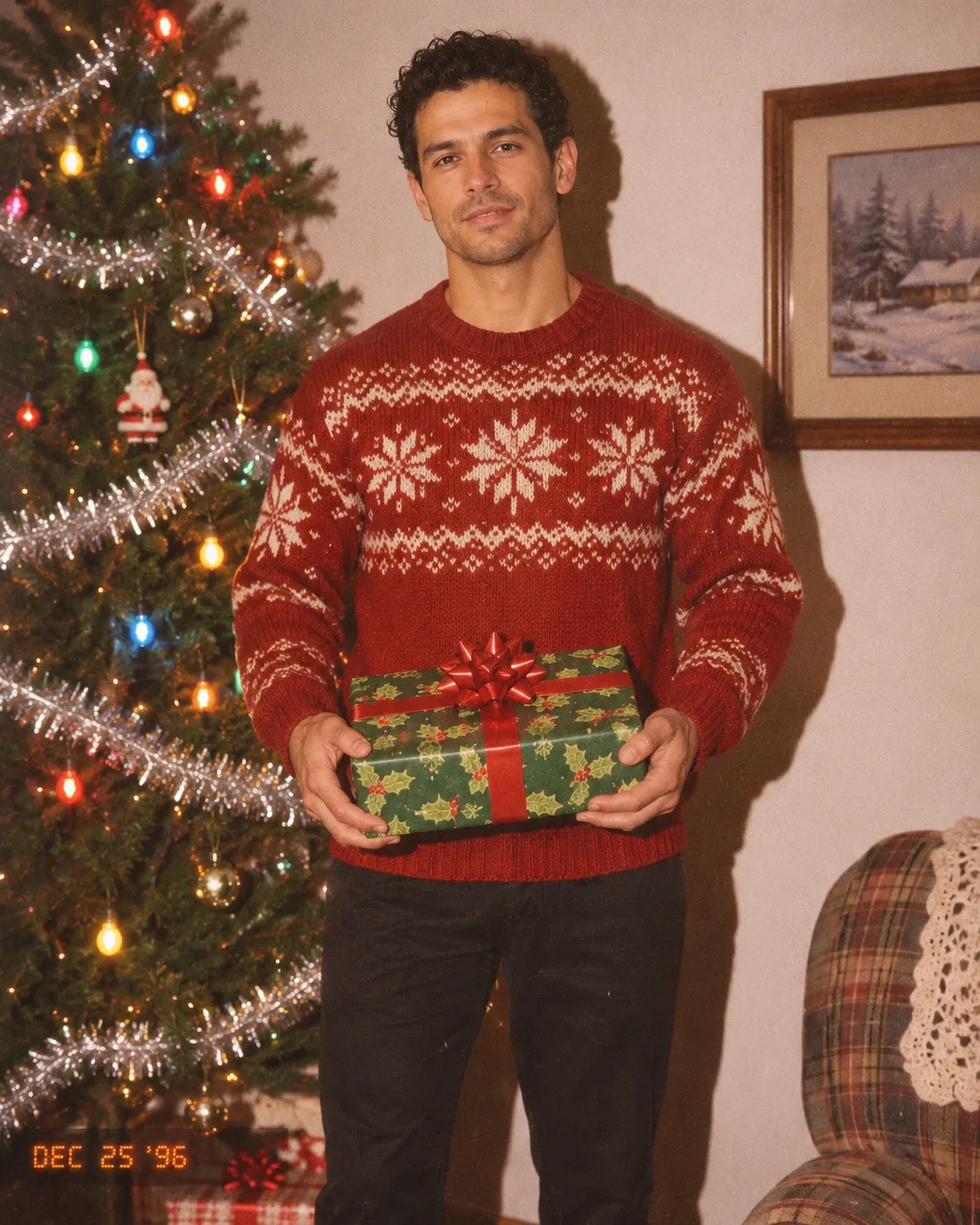
90s flash photo
Tinsel, colored bulbs and on-camera flash: a Christmas photo that looks like it lived in a shoebox.
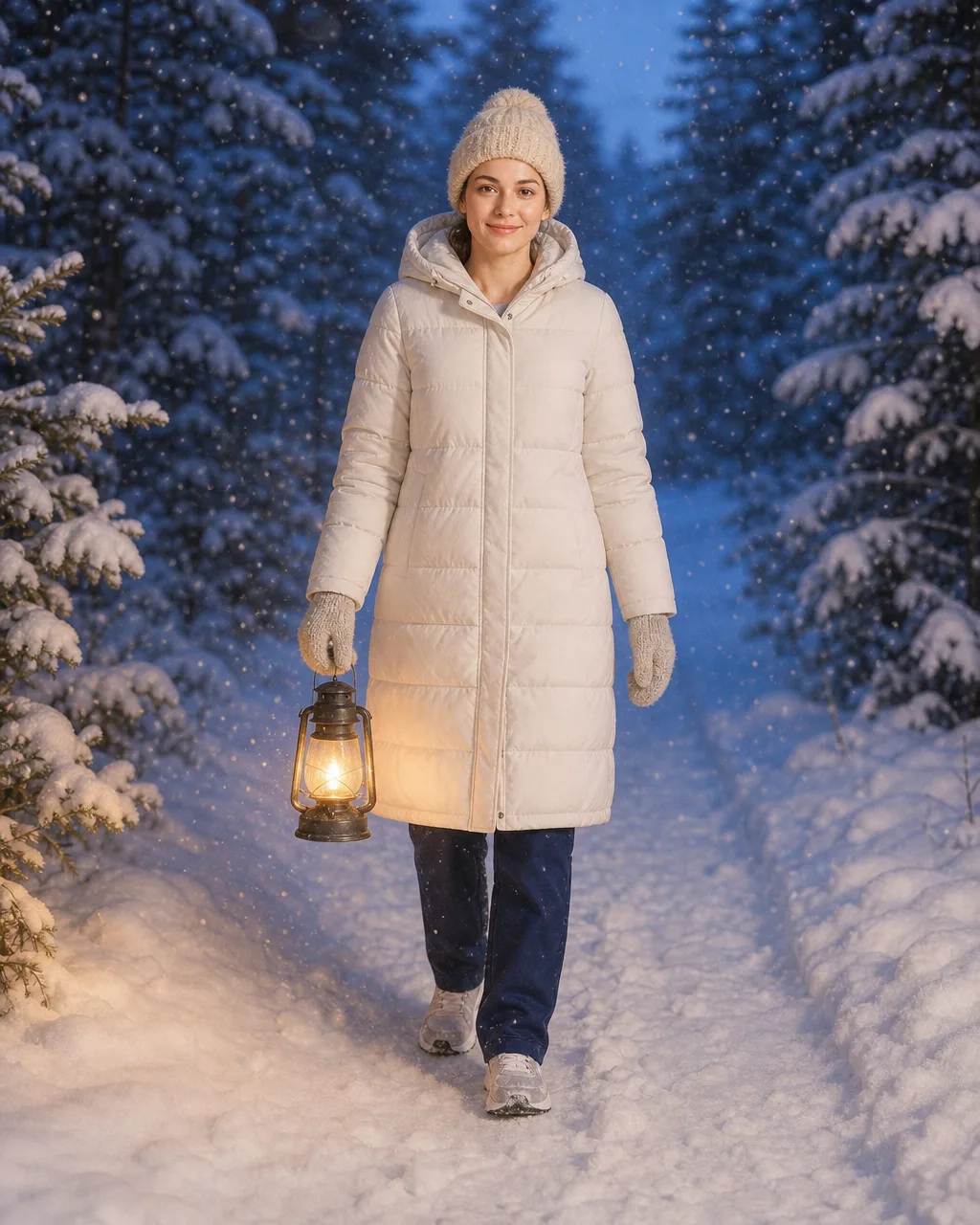
Snowy forest
A quiet blue-hour walk with a lantern, for a calmer Christmas photo.
From everyday photo to AI Christmas photo
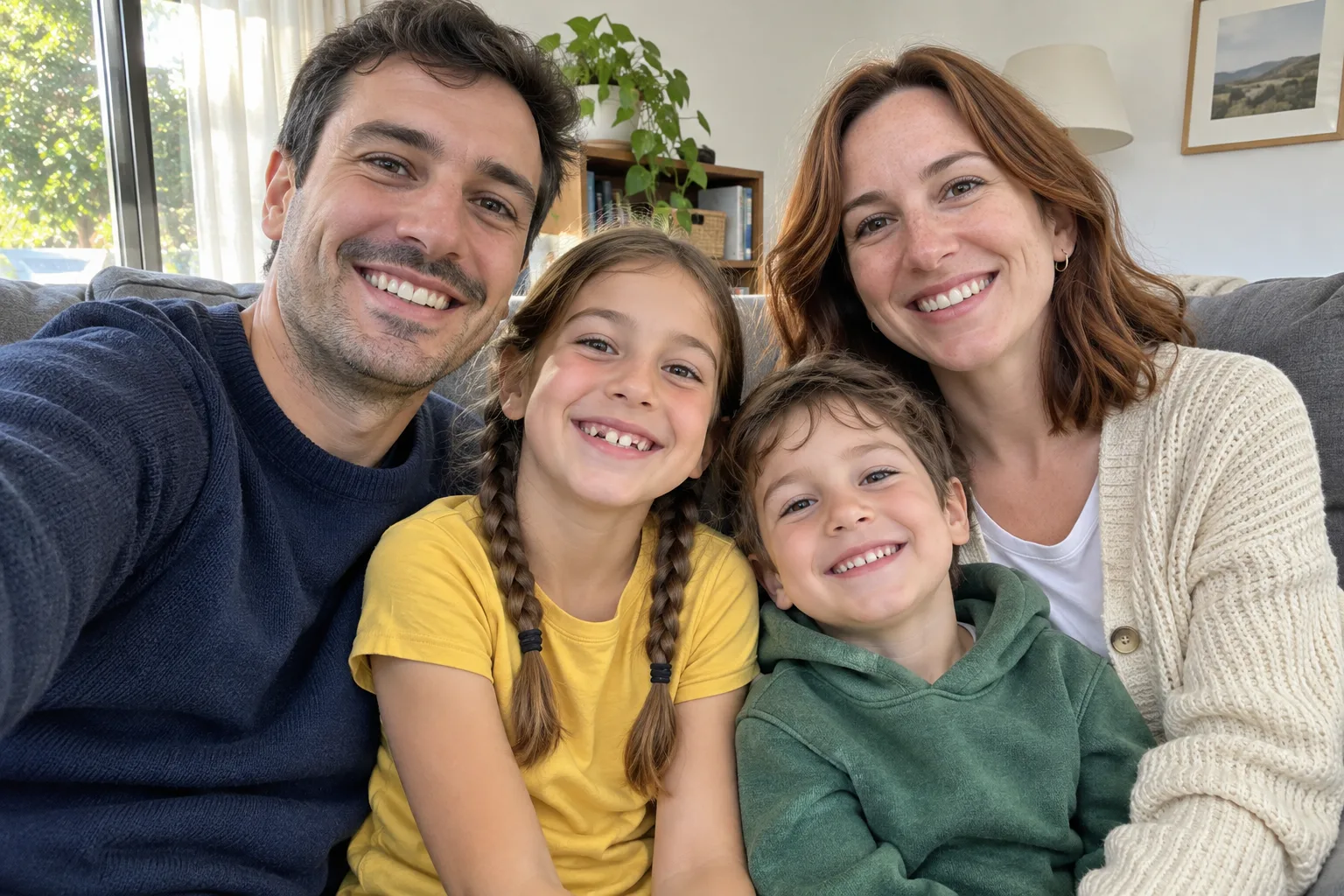
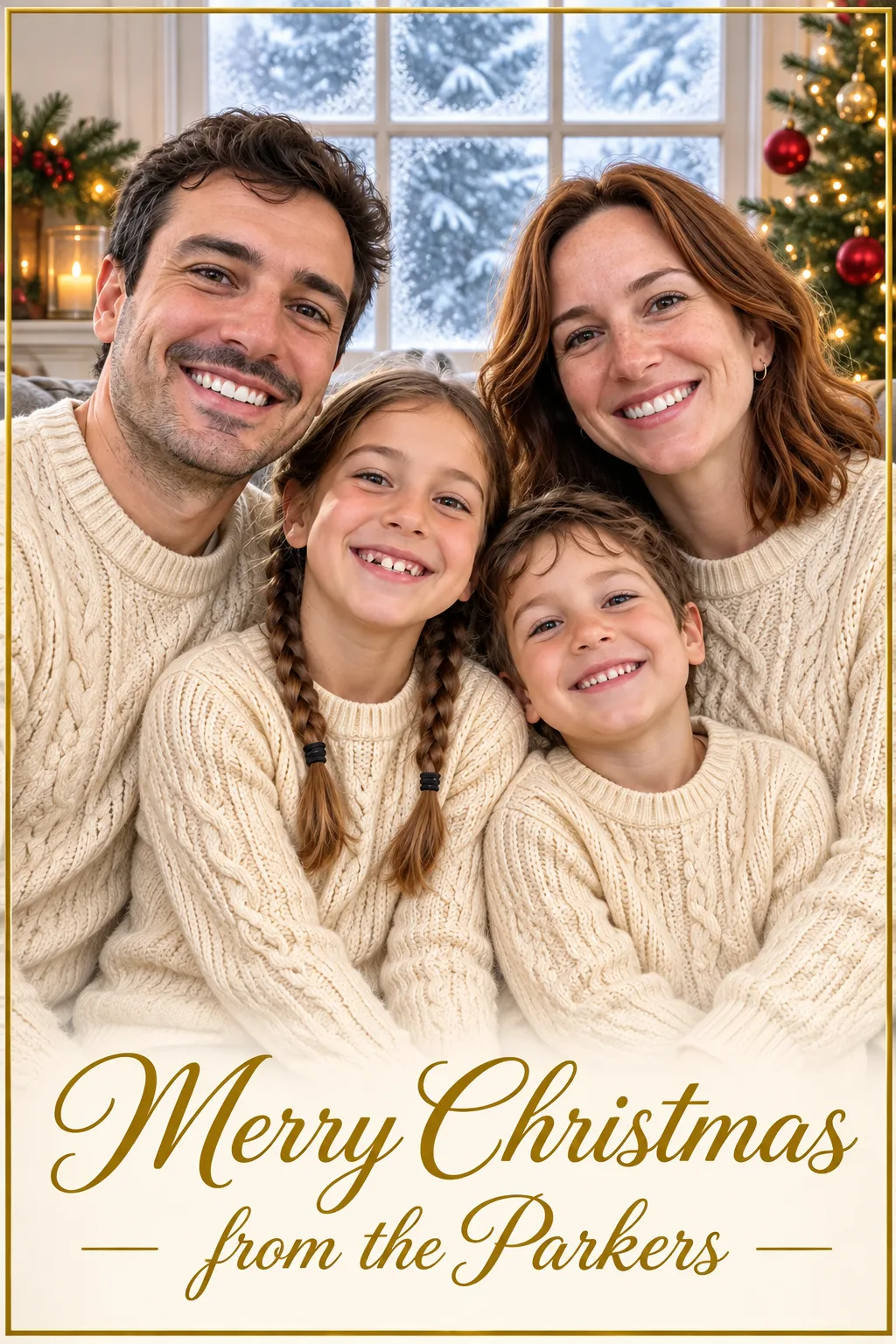
The same people, the same faces, a new Christmas scene. These are the photos we started from and the AI Christmas photo each one became.
 BeforeAfter
A sofa snapshot became a matching-pajamas Christmas photo.  BeforeAfter
A street photo became a Christmas photo at the ice rink.  BeforeAfter
A plain studio portrait became a fireside Christmas photo.
How to make an AI Christmas photo
Add your photo
Upload a clear photo of yourself, your family, your partner or your pet. Faces that are sharp and well lit give the best AI Christmas photo.
Pick a scene
Tap a style or describe your own scene in a sentence or two: the place, the outfits, the light. You can edit any style before you create.
Create and download
Your AI Christmas photo is ready in about a minute. Open it full size to save it, then try another style with the same photo.
What to do with your Christmas photo
One good AI Christmas photo can do a lot of work in December.
Christmas cards
Use your AI Christmas photo on a card, or let the AI Christmas Card Maker add the greeting for you.
Profile pictures
Swap your profile picture for a festive one for the season, then switch back in January.
The family group chat
A matching-pajamas Christmas photo of everyone, even the cousins who live three time zones away.
Prints and gifts
Make a 2K AI Christmas photo for a framed print, a calendar page or a photo ornament.
Pick a photo that works
A good starting photo does most of the work for your AI Christmas photo.
Works well
- Faces that are sharp, front-facing and evenly lit
- One person, a couple, a family of up to five, or one pet
- Daylight or a bright room
- Describing the outfits and the place you want
Harder to get right
- Faces hidden by hats, hands, sunglasses or deep shadow
- Crowded group shots where faces are tiny
- Very dark, blurry or heavily filtered photos
- Asking for long text inside the picture (use the card maker instead)
AI Christmas photo questions
What is an AI Christmas photo generator?
It is a tool that turns an ordinary photo into a Christmas photo. You upload a picture, choose or describe a festive scene, and the AI paints the people from your photo into that scene, with new outfits, light and decorations.
Will my AI Christmas photo still look like me?
That is the goal of every style here: the generator is told to keep faces, hair, skin tone and proportions. Sharp, front-facing photos keep likeness best. If one result misses, run it again; each AI Christmas photo is a fresh attempt.
How many credits does one AI Christmas photo cost?
A standard 1K AI Christmas photo costs 12 credits, and a sharper 2K one costs 18. The button shows the exact cost before you create, and credits are only used when the picture is made.
Can I make an AI Christmas photo of my whole family?
Yes. Upload one photo with everyone in it, up to about five people, and pick a family style such as Matching pajamas or Snowy cabin. Make sure every face is visible in the photo you upload.
Can I use a photo of my dog or cat?
Yes. Pets work well in any style; describe the pet’s outfit if you want one. For pet-only scenes like a pup in a gift box, try the AI Pet Christmas Photo tool.
Can I make an AI Christmas photo without uploading a picture?
Yes. Leave the photo empty and describe the Christmas photo you want. You will get an imagined scene instead of a portrait of real people.
What sizes and shapes can I download?
Choose 1K or 2K, and a shape from portrait 4:5 and 2:3 to square 1:1, story-sized 9:16 or wide 16:9. Portrait 4:5 suits most phones and social posts.
Can I print my AI Christmas photo?
Yes. Choose 2K for prints, frames and cards. The AI Christmas photo is yours to share with family and friends.
What happens to the photos I upload?
Your photo is used to make your picture, and your results are kept with your account so you can find them again. Our Privacy Policy explains what is stored and how to ask for deletion.
More Christmas AI tools

Your Christmas photo is one upload away
Add a photo, pick a style, and have a Christmas photo to share before the cocoa gets cold.
Create my Christmas photo